ブログのog image自動生成を実装しました
2024年9月18日 投稿
かなり久しぶりの更新です。。
ついに、このブログにもog image自動生成が実装されました!やったー!!!🎉 この記事では
- どうな方法で自動生成しているのか
- どこでハマったか
を紹介します!
どんな方法で自動生成しているのか?
vercel/satoriとsharpを用いたSSGで生成しています!(本当はCloudflare Workerを用いてSSRで生成したかったけど、できませんでした。。。) vercel/satoriはReactコンポーネントからsvg画像を生成できるライブラリ、sharpは画像の変換など画像に関するいろいろなことができるライブラリです。
環境
bun: v1.1.27 astro: v4.15.6 ↑をCLoudflare pages上でhybrid modeで運用しています。
実際の手順
実際の手順ではこちらのブログを参考にさせていただきました!
https://blog.70-10.net/posts/satori-og-image/
ざっくり下記のような感じです!(コードは一部簡略化しています)
- AstroのReactインテグレーションをインストール
Astroの公式ドキュメントを参考にAstroのReactインテグレーションをインストールします
bunx astro add react何か聞かれたら全てyesと回答します。
satoriとsharpをインストール
bun add satori sharpbun add @types/sharp- og imageにするコンポーネントのデザイン調整
下記のサイトを使って事前にコンポーネントのデザイン調整します。
https://og-playground.vercel.app/
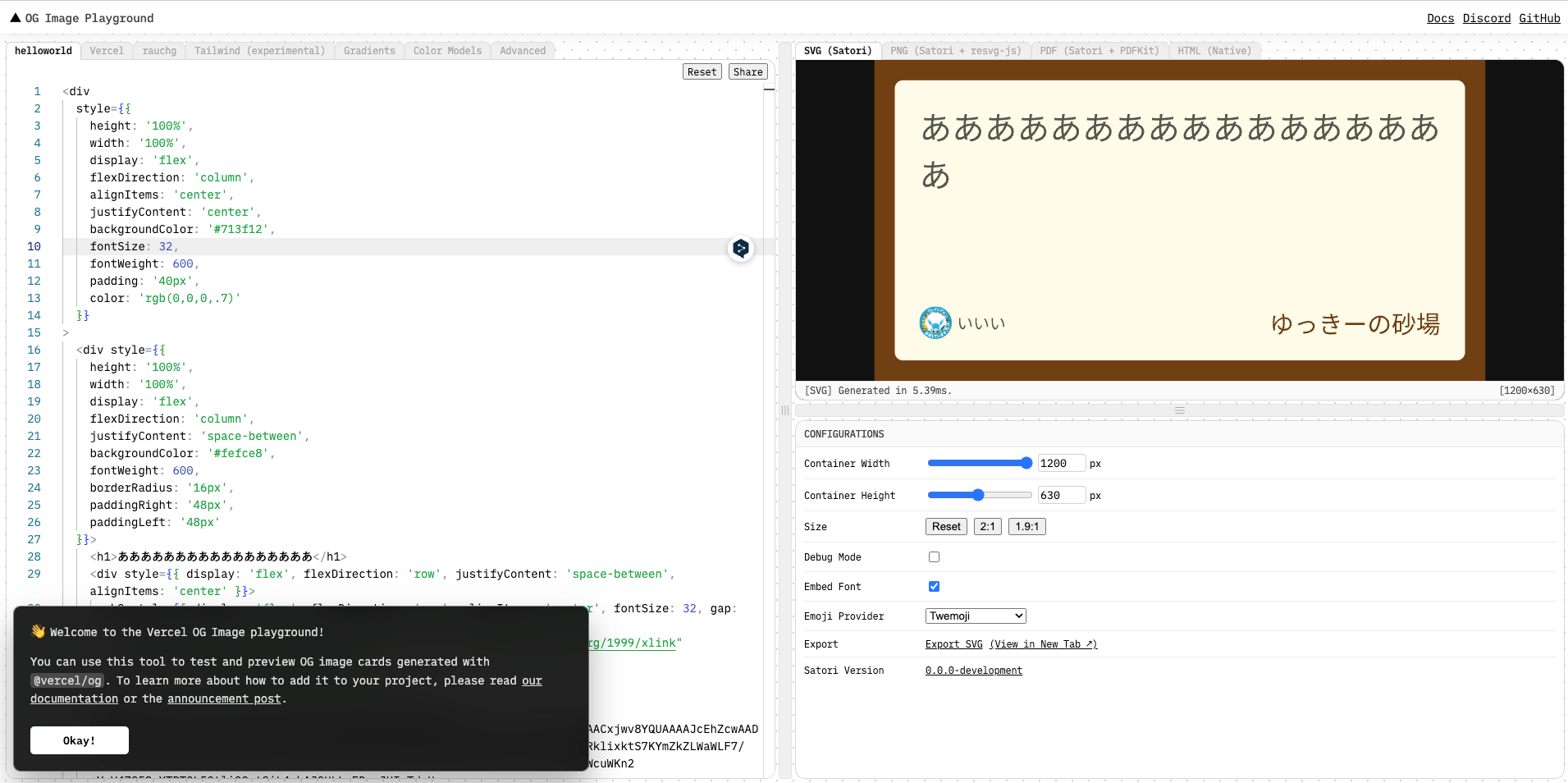
実際に生成されるogp画像は少しレイアウトが崩れることがあるので、あくまでも参考にする程度です。
- og imageを生成する関数の作成
3で作成したHTMLは事前にコンポーネントにしておきます(ここでは_OgImage.tsxにOgImageとして作成しています)。
(下記は_getImage.tsxとして保存しています)
import satori from "satori";
import { OgImage } from "./_OgImage";
import sharp from "sharp";

export async function getOgImage(text: string): Promise<Buffer> {
  const notoSansJpUrl = `https://fonts.googleapis.com/css2?family=Noto+Sans+JP:wght@600`;
  const reggeaeOneUlr =
    "https://fonts.googleapis.com/css2?family=Reggae+One&display=swap&text=ゆっきーの砂場";
  const notoSansJpFontData = await getFontData(notoSansJpUrl);
  const reggeaeOneFontData = await getFontData(reggeaeOneUlr);
  const svg = await satori(<OgImage text={text} />, {
    width: 800,
    height: 400,
    fonts: [
      {
        name: "Noto Sans JP",
        data: notoSansJpFontData,
        style: "normal",
      },
      {
        name: "Reggae One",
        data: reggeaeOneFontData,
        style: "normal",
      },
    ],
  });

  return await sharp(Buffer.from(svg)).png().toBuffer();
}

// フォントの取得
const getFontData = async (url: string): Promise<ArrayBuffer> => {
  const css = await (
    await fetch(url, {
      headers: {
        "User-Agent":
          "Mozilla/5.0 (Macintosh; U; Intel Mac OS X 10_6_8; de-at) AppleWebKit/533.21.1 (KHTML, like Gecko) Version/5.0.5 Safari/533.21.1",
      },
    })
  ).text();

  const resource = css.match(
    /src: url\((.+)\) format\('(opentype|truetype)'\)/
  );

  if (resource === null) {
    throw new Error("Font resource not found");
  }

  return await fetch(resource[1]).then(async (res) => await res.arrayBuffer());
};
自分はGoogle Fontを使いたかったので、そのフォントデータも動的に取得しています。
- og imageを配信するエンドポイントの作成
AstroのSSGエンドポイントを作成します([...slug].png.ts)
import type { APIContext } from "astro";
import { getCollection, getEntry } from "astro:content";
import { getOgImage } from "./_getOgImage";

export const getStaticPaths = async () => {
  const posts = await getCollection("post");
  return posts.map((post) => ({ params: { slug: post.slug } }));
};

export async function GET({ params, redirect }: APIContext) {
  const { slug } = params;
  if (slug === undefined) {
    return new Response(null, {
      status: 500,
      statusText: "No slug provided",
    });
  }
  const post = await getEntry("post", slug);
  if (post === undefined) {
    return new Response(null, {
      status: 404,
      statusText: "Not found",
    });
  }
  const body = await getOgImage(post?.data.title ?? "No title");
  return new Response(body);
}AstroではgetStaticPathsを定義する、またはexport const prerender = true;を追加することで静的なエンドポイントを生成することができます。
また、ファイル名をxxx.png.tsのようにしてArrayBufferを返すことで画像を配信することができます。
開発環境を起動して生成された画像を確かめましょう!
bun run dev- og imageを確かめる
ここまでできたらmetaタグにog:imageを追加して、実際に画像が表示されるか確認します!
const ogImageUrl =
  ogEnv === "production"
    ? `https://yukky-sandbox.dev/og/${slug}.png`
    : ogEnv === "preview"
      ? `https://develop.yukky-sandbox.pages.dev/og/${slug}.png`
: `http://localhost:4321/og/${slug}.png`;<meta property="og:image" content={ogImageUrl} />
<meta property="og:image:width" content="1200" />
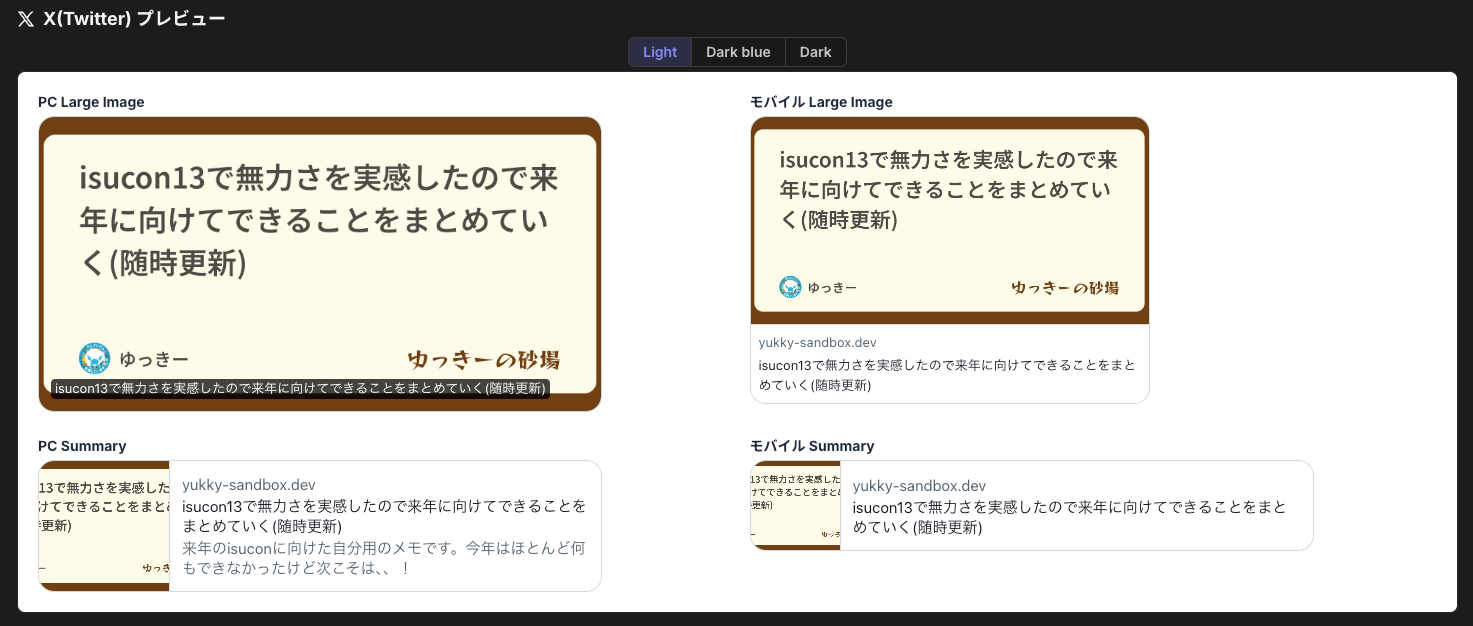
<meta property="og:image:height" content="630" />確かめる際はcloudflare pagesのdev環境のURLを下記のサイトに入れて確認します
https://web-toolbox.dev/tools/ogp-checker
大体想定と違うものが表示されるので、その場合は都度調整してください!
どこでハマったか
原因の調査が仕切れてないものもあるので箇条書きで書いていきます
- SSRを試している時、sharpがビルドされずにローカルパッケージ扱いされてしまう
- bun run devでは動作するが、bun build後は動作しない
- 代替で使おうとしたresvg-jsが
nodejs compatibilityの影響で動作しない - cloudflareのworkerdランタイムもbunのランタイムもnodejs compatibilityが100%ではなく、使えないパッケージなどが存在する
- 代わりに使用しようとしたCloudflare Pages FunctionsがCloudflareアダプターの対象外になっていた -ドキュメント上ではできそうな描かれ方になっているが、実際はできない
どうも少し前のバージョンのCloudflare Adapterから、Cloudflare Pages Functionのサポートが消滅していたらしい🫠
代わりにAstro Endpointを使えとのこと。 https://t.co/wNAVImZEPC
これで失敗したからPages Functionを使ってみたのにな😭 https://t.co/4JVkHlflJq
— ゆっきー (@Yu_yukk_Y)
September 17, 2024
- ↑が対象外にもかかわらず、ログ上は動いていることになっていたため調査が難航した
